Transfer iTunes Music to Android
How to get my iTunes songs to my new android?
Hi I’m new to the whole android system since I’ve had several iPhones. Can someone help me with a simple way to transfer my music from iTunes to my galaxy s3? I’ve tried the iTunes agent but can’t get that to work.
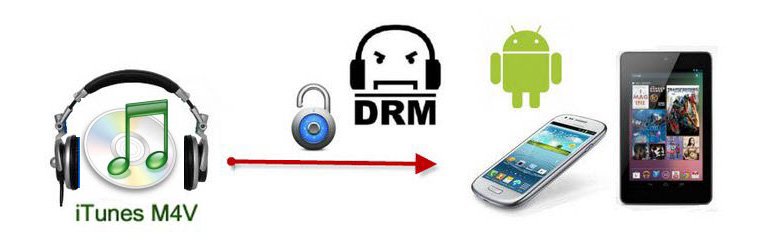
Even you’ve been syncing music from your iTunes library to your iPhone, iPod or iPad forever, but what do you do when you get an Android device? Thus, you will need a new way to sync your iTunes music with Android. This tutorial will demonstrate how to transfer your iTunes music to your Android device with MobileGo for Android. As a bonus, you’ll also be able to stream your iTunes library to any computer.

iTunes to Android Transfer
Android Transfer is an excellent iTunes to Android transfer which is is designed for transferring iTunes music to Android or copying music from Android to iTunes library as well.

In some sense, it is not only an iTunes to Android music transfer but also an android media management software. With it, you can convert video and music to Android-optimized formats and import your iTunes music playlist to Android devices, and export music to iTunes library Effortlessly. To find more powerful functions, just download the free trial version and have a try. I think you’ll like it because it thinks over all the management issues of your Android smartphone. Here we’ll use the Mac version as an example.
How to transfer iTunes music to Android on Mac?
Step 1. Connect your Android Device with a USB cable
After downloading iTunes Android Transfer on your computer, double-click its icon to launch the program and choose the “Phone Manager” from the main window.
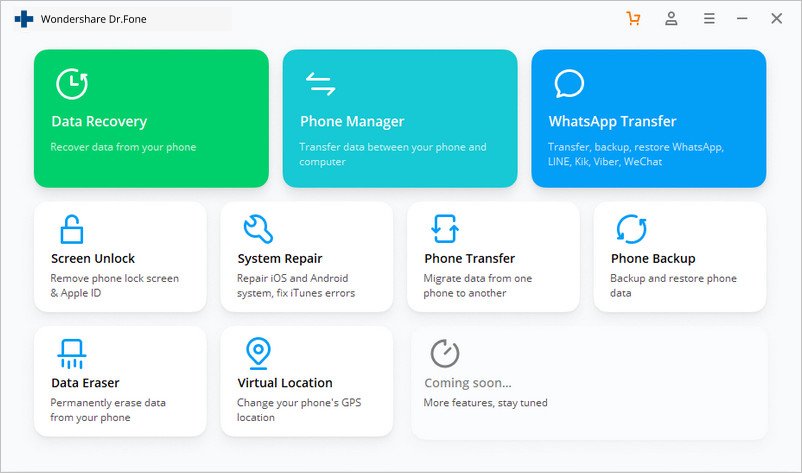
Connect your Android phone or tablet to computer. Your Android device will soon be recognized and displayed in the primary window.

Step 2. Transfer Music from iTunes to Android
From the express options on the primary screen, click “Transfer iTunes Media to Device”. Dr.Fone will detect all the media files in iTunes and show them by list on the pop-up window. Select and sync iTunes music to a connected Android phone or tablet.

To transfer Android music to the iTunes playlist, just select the songs you want to copy and ‘Export’ to transfer them to your iTunes library or save them on your computer’s hard disk. In addition, you can use this app to delete songs, search songs, set songs as ringtone, create a new playlist, add a new folder, play songs, etc. as you like.

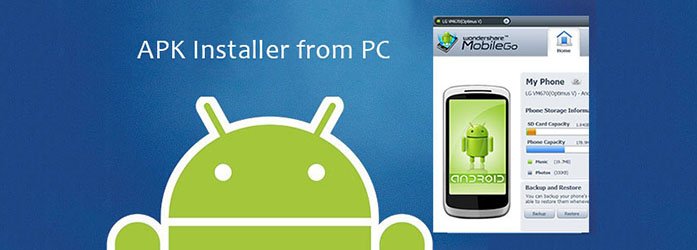
In fact, apart from copying iTunes music to Android, and the other way around, this iTunes to Android transfer empowers you to backup and restore your Android contacts, install APK files, and play movies, like WMV, on your Android phone and tablets.
What’s more, with this android desktop manager, you can do more than transferring iTunes music to Android. Also as to backup and restore android contacts, the transition from iPhone to Samsung Galaxy, use as a total Galaxy S3 file transfer, install and uninstall APK files, play movies like WMV on your Android phone or tablet.
After trying, you can order online to get the full version of the program, with 30-day Money Back Guarantee.